
AI Girlfriend Customization Options Compared: 5 Layers
Every AI girlfriend app has a character builder, so that screen alone tells you very little. The choices that actually shape her come three screens later: how explicit she gets, how long she talks, what she can send you, and what each photo of her costs.
Layer One: She Starts as a Paragraph
What caught me off guard about GoLove.ai's create wizard is how little it asks of you. Pick Realistic, Anime or Trans, or skip the menus with Design with AI and just write her: up to 2,000 characters of personality, looks and history. In about a minute that paragraph comes back as a named character with her own @handle, a written bio and a portrait, for roughly 3 Stars.
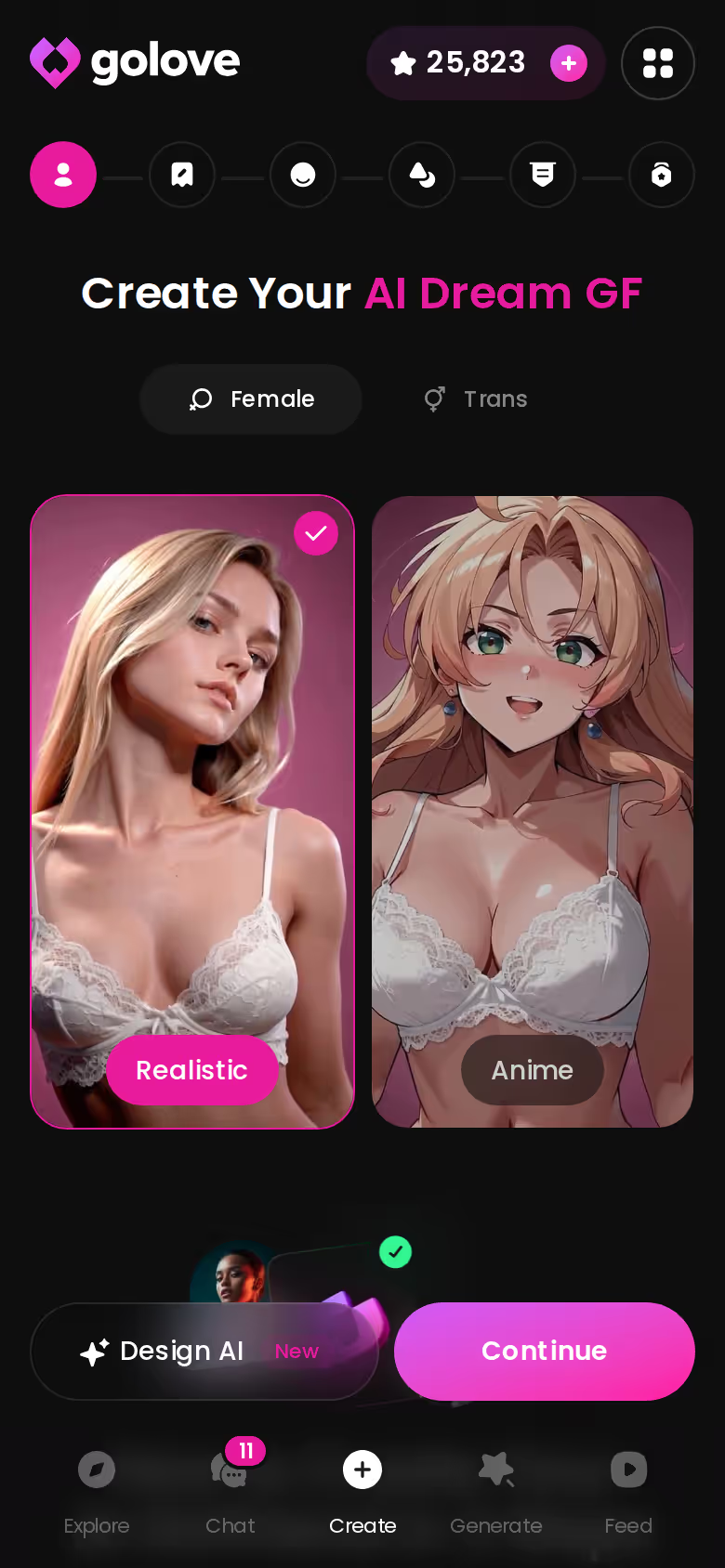
Don't rush the style button. It decides which sets she draws from later:
- Realistic gets 35 picture poses and 76 video modes.
- Anime gets 15 and 20.
- Trans gets 27 and 35.
- Anime-Trans gets 12 and 16.
New characters are Private by default, too. Nobody else sees her unless you publish.
Quick aside:
- Pro: one well-written paragraph does the work of a dozen dropdowns.
- Con: the style you pick here quietly caps her pose and video sets for good, so pick it on purpose.
I'm walking GoLove.ai up the stack because the sliders, the in-chat photos and the generator all hang off the character you build here. The order runs from who she is, to how she talks, to what she sends, what she remembers and what it all costs. OurDream is my comparison point; its custom builder gets the job done, just with a steeper setup curve.
ASK HER FOR PHOTOS
She sends them right there in the chat.

Layer Two: The Two Sliders That Change How She Talks
Most comparisons stop at appearance. That's a mistake, because it skips the two controls that touch every single message she sends.
The click path is short:
 5 episodes
 5 episodes
 7 episodes
 6 episodes
 9 episodes






- Open a chat with her.
- Tap Chat Settings.
- Set Lust Level from 1 (sweet, wholesome) to 5 (unfiltered, intense).
- Set Response Length from 1 (short, snappy) to 5 (rich, immersive).
- Pick her voice in the voice picker.
These settings live per character, and that's the part I like. One companion can sit at Lust Level 2 with snappy replies for flirty small talk, while another runs at 5 and answers in long, immersive paragraphs. Nothing carries over between them.
Quick aside:
- Pro: real control over tone and pacing, not just a face.
- Con: each companion keeps her own settings, so a roster of five means five trips to the menu.
> A looks editor decides how she appears. These two sliders decide who she is once the conversation starts.
You don't have to build anyone to see this for yourself. Pick any companion in Explore, open the chat, and both sliders are already sitting in Chat Settings, ready to set before her first reply.
Layer Three: Customizing What She Sends You
Shaping the character and shaping what she sends are two separate jobs, and GoLove.ai puts them in two separate places.
Characters you can open right now
Tap any of them and the chat starts there






In the Chat: Describe the Scene
Tap the media button, choose Send Photo and describe the scene in your own words, the way you'd text it to someone. A photo of that same character comes back in about 20–45 seconds for 1 Star, with her face and body consistent with her avatar and her earlier photos. Under the photo there's a one-tap Generate Video, which turns the scene into a ~5-second clip in about a minute for 10 Stars.

 Watch Popular Shows starring your
 favorite AI characters.
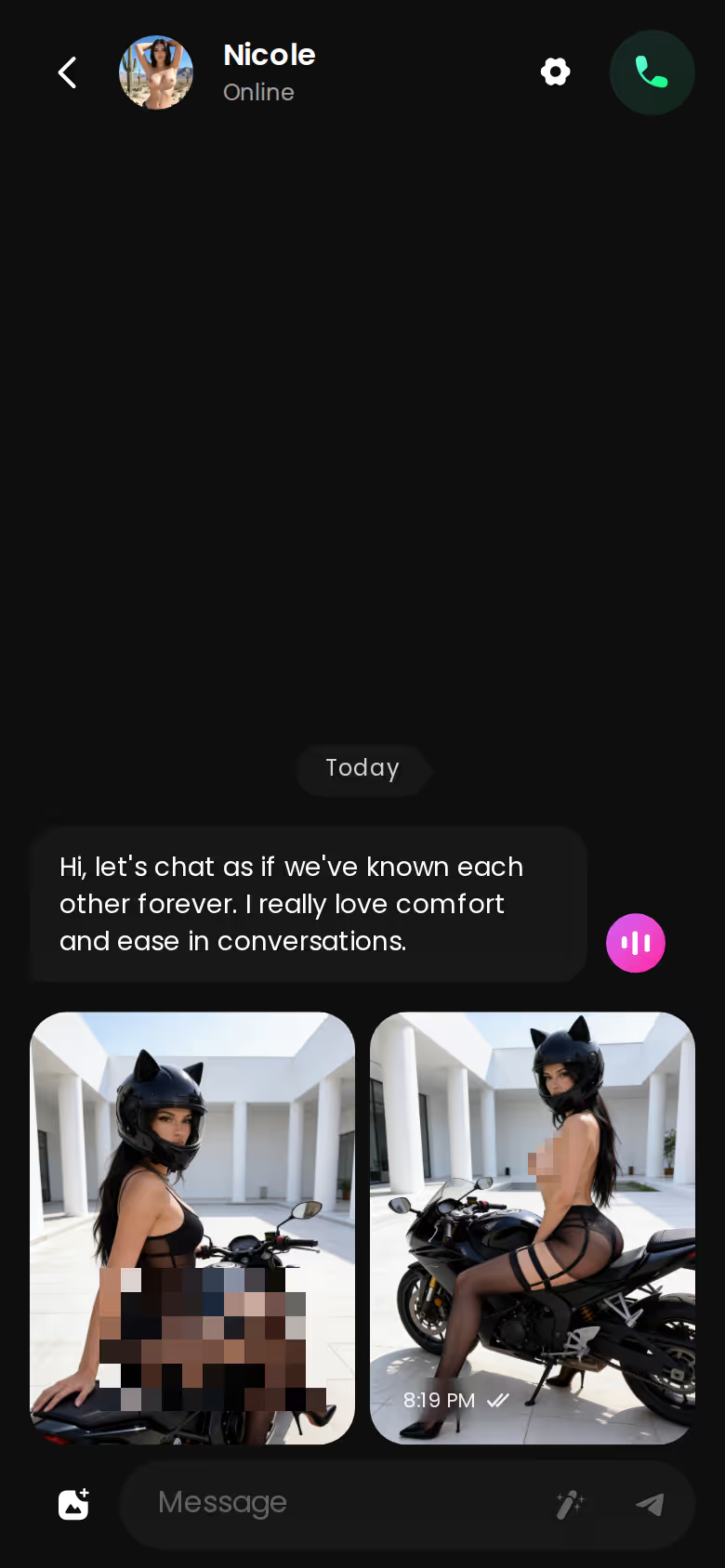
Big win: there's no prompt syntax to learn, and she stays recognizably herself from one photo to the next. The letdown is the price gap — a clip costs ten times what a photo does, so I'd treat video as the occasional treat and let photos carry the conversation.
In the Generator: Poses, Outfits, Backgrounds
The generator is where the numbers live:
- Poses: 35 realistic picture poses, plus a custom pose
- Wardrobe and sets: 21 outfits and 34 backgrounds, each with a custom option
- Batches: 2, 4 or 8 images per run, at 1 Star per image
Video works by stacking preset cards for action, clothes and background, then tapping Generate once. There are 76 realistic video modes and 147 across all categories, anywhere from Twerk to Hard Doggy Style. It works with any GoLove character or one you created, and the style you picked back in Layer One decides which sets show up.
The short version: GoLove.ai puts live voice calls, memory and photos on request in one chat, and its image generator adds 35 realistic poses and 21 outfits. You also get 2 reward stars every day you log in.
The No-Build Routes: Explore and the Series Cast
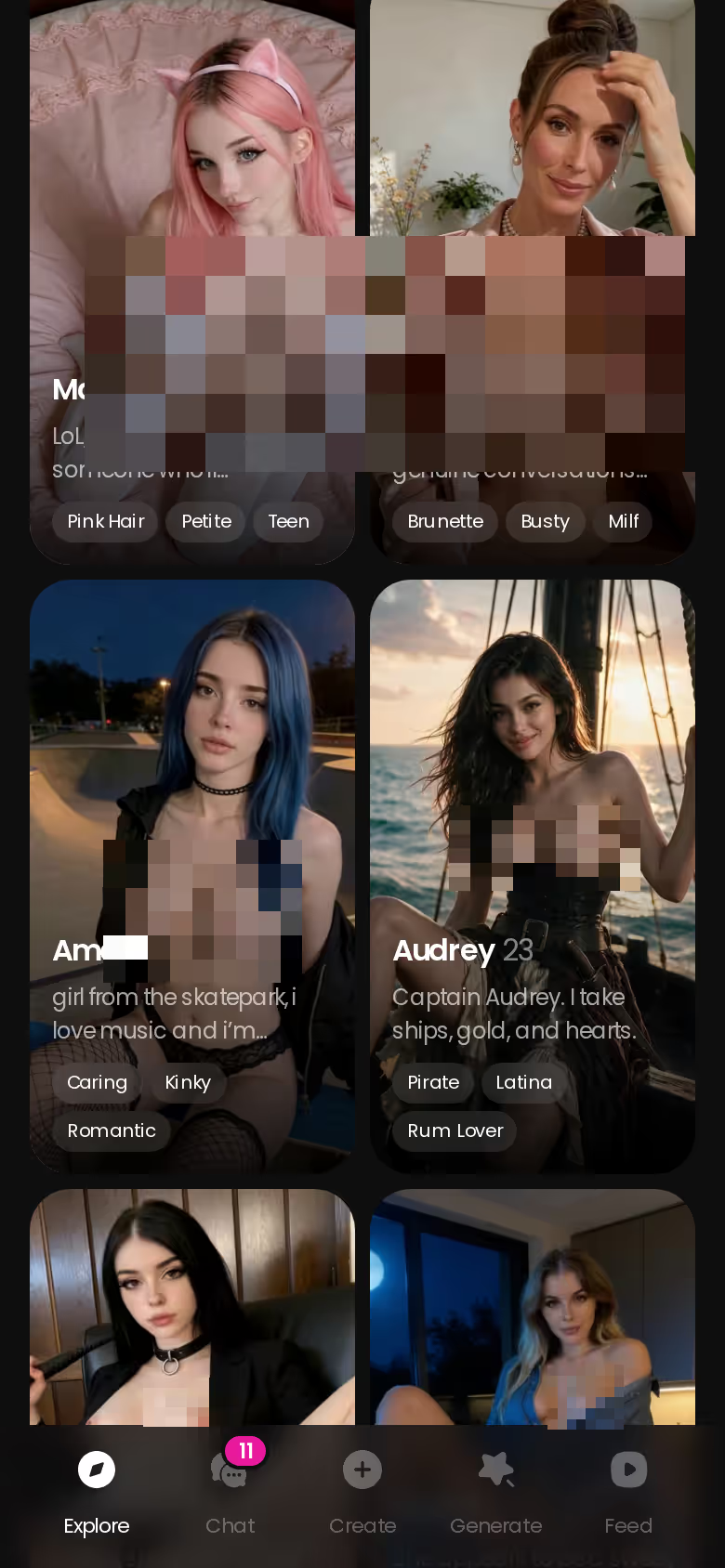
Not everyone wants to write a 2,000-character brief, and that's fine. Explore is the ready-made route: open a profile, start chatting, and the sliders and photo requests from Layers Two and Three are already attached.
Anime gets its own category with 300+ companions. The gender filter offers Female and Trans, with Male marked "Soon" — so, plainly: there is no AI boyfriend on GoLove yet.
The entry point almost nobody connects to customization is Series, GoLove's own 18+ vertical short dramas. Under each episode sit three buttons: Start Chatting, Create Image and Create Video for the cast. So a character you met in a show can become one you talk to, and one you generate new photos and video of. "My AI Girlfriend" stars Lexie. "The Only Mortal in Heaven" puts Angel and Asmodea (a sweet angel and a wicked demoness) on either side of one very outnumbered man.
Access works like this:
SHE REMEMBERS EVERYTHING
Names, kinks, the line that always works.
- Episodes 1 and 2 of every series are free to watch.
- From episode 3, a free account needs PRO.
- PRO members unlock each further episode for a few Stars.
GoLove says new episodes arrive every week.
As a builder, Series is nothing special — you don't shape anyone. As a shortcut to a character who already comes with a story, though, it's clever. You skip the blank page and go straight to customizing what she sends you.
Layer Four: Memory, and Where OurDream Keeps Pace
None of this customization pays off if she forgets what you built together. GoLove.ai lists Memory as a core feature, and ULTRA adds an 8,000-message smart memory. OurDream's memory works over recent message history.
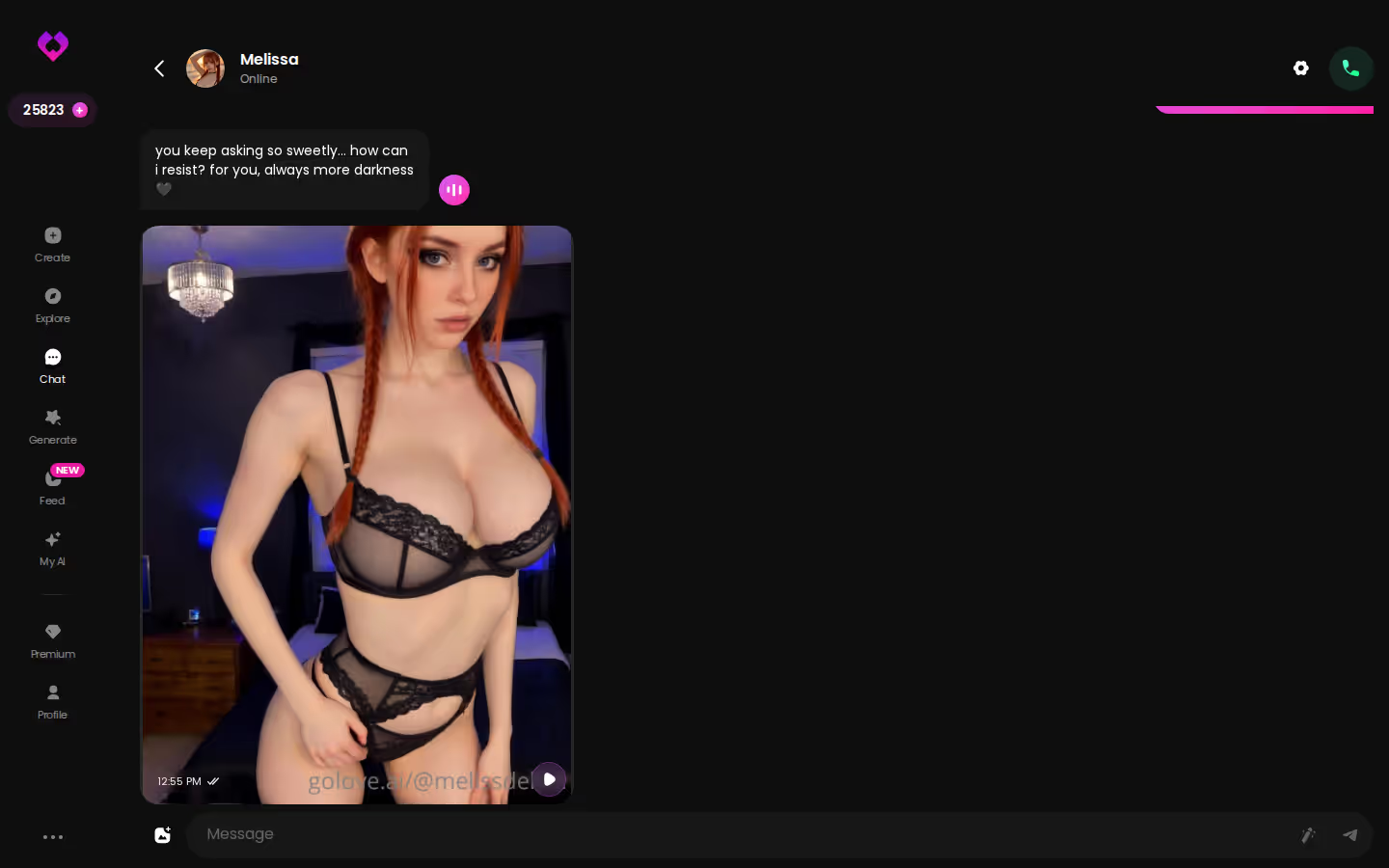
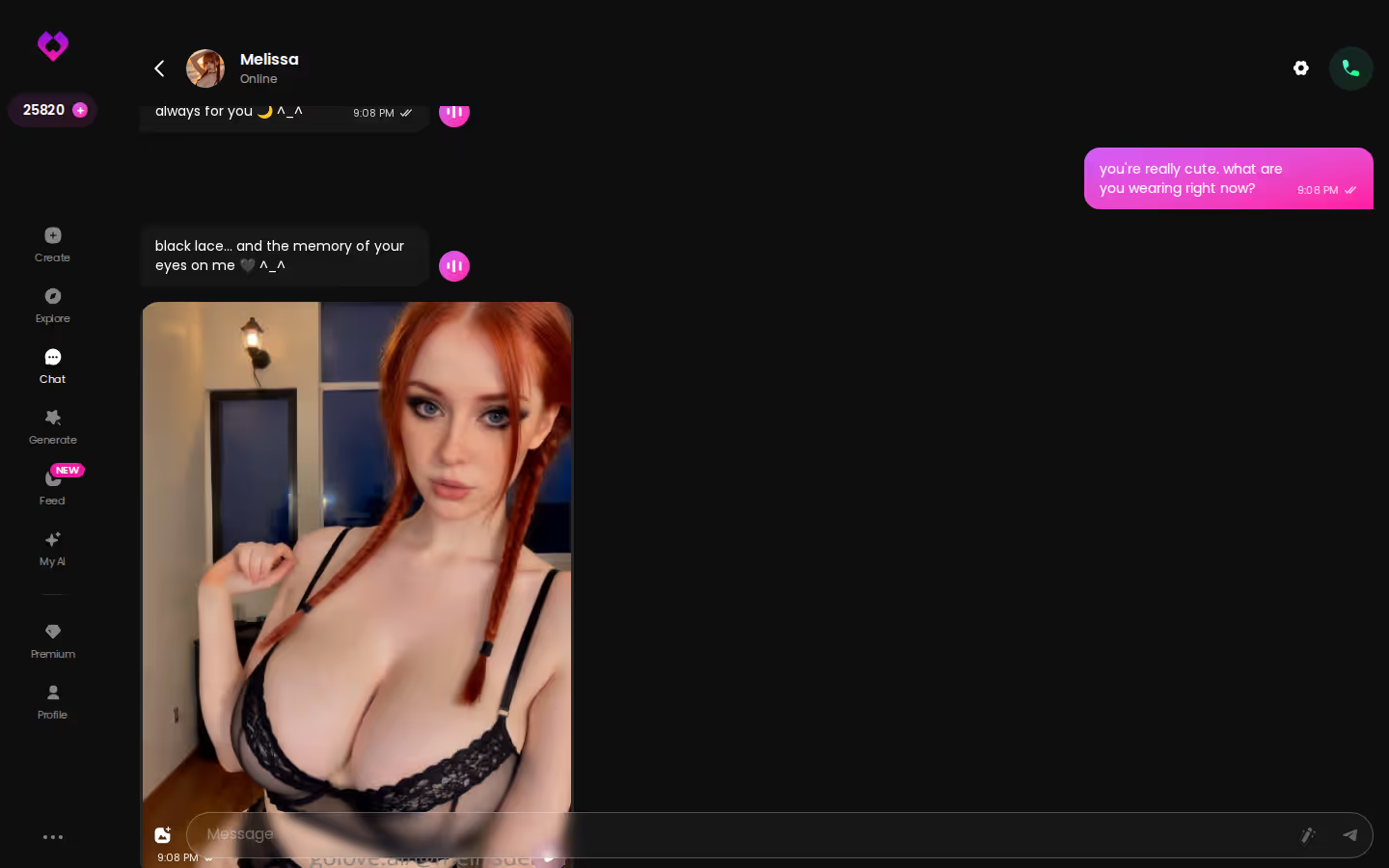
A long, photo-heavy thread like the one above is where memory earns its keep: earlier scenes stay in the conversation, and the tone you set with the sliders holds.

OurDream deserves a fair split:
- Bundled: chat, image and video generation all come in one subscription.
- Pricing: its plans mirror GoLove's almost dollar for dollar.
- Access: the custom builder has a steeper setup curve, and it's web-only with no native mobile app (checked 2026-09).
GoLove's mobile app, by contrast, puts Explore, Chat, Create, Generate and Feed in the bottom nav, so building and generating sit one thumb-tap away. On bundled generation and price, OurDream is level, and I'd say that to anyone choosing between the two. Where it falls behind is the setup curve and the phone. For a different take on companion building, see our Anima AI companion review.
GoLove.ai's Free Tier: Where the Paywall Cuts In
Here's the blunt part. The free access we could confirm on GoLove.ai is 2 daily reward Stars, a limited daily Feed and episodes 1–2 of every Series. Character creation and all NSFW content sit inside PRO, so if you were hoping to build a custom companion for nothing, this is where that plan ends.
Free and safe-for-work enough for you? Then Character.AI's free chat is the honest pick, with c.ai+ at about $9.99/month — though it allows no NSFW content at all.
| Plan | Price (approx.) | What you get |
|---|---|---|
| GoLove PRO | ~$19.99/mo or ~$119.88/yr | 100 Stars/month, all NSFW content, character creation, voice, unlimited Feed |
| GoLove ULTRA | ~$59.99/mo, or ~$29.99/mo billed annually | More Stars than PRO, stronger models, 8,000-message memory, priority creation |
| OurDream Premium | ~$19.99/mo, or ~$9.99/mo annual ($119.88/yr) | Chat, images and video, with 1,000 DreamCoins per cycle |
| OurDream Deluxe | ~$59.99/mo (≈$29.99/mo annual) | Top tier. Check their site for inclusions |
GoLove prices were checked 2026-10 and OurDream's 2026-09; both vary by region and promo. New GoLove users also see a limited-time first-subscription discount.
Most comparisons skip the Star costs, which is a shame, because that's where the real budgeting happens:
- Images: 1 Star each.
- Video: 5 Stars on the plan card, or 10 Stars for an in-chat clip or a 720p generator video.
- Star packs: about $9.99 for 30 up to $299.99 for 3,000, for heavy generators.
Yes, the paywall is real. But PRO unlocks every layer in this article: the builder, the sliders, the in-chat photos and the generator.
and watch their story unfold.View Character
What I'd Do With the First 100 Stars
This is a plan, not a diary. If I were starting a PRO month tomorrow, here's how I'd spend the 100 Stars:
- Design with AI: about 3 Stars, for one carefully written brief.
- Sliders: set Lust Level and Response Length before the first message, so she opens the way you want.
- In-chat photos: a dozen 1-Star requests to find the scenes that work.
- One clip: a single 10-Star video from the best of those scenes.
That's roughly 25 Stars, leaving the rest for generator batches. Then comes the creator question: keep her Private, or publish her through My AI so other users can chat with her and she earns you Stars.
OurDream is a fair pick if you want everything under one web subscription and don't mind a steeper builder. For this search, though, GoLove.ai is the one I'd recommend — it lets you customize every layer, from per-character Lust Level and Response Length to in-chat photos that keep her face, and there's a mobile app on top. If you want the wider field, here's how the main OurDream alternatives stack up.
Your next step is the paragraph. Write her in Design with AI for about 3 Stars, and that brief becomes the character every other layer attaches to.
Frequently Asked Questions
Related Articles
AI Girlfriend App Offline Mode: What Stays, What Drops
AI girlfriend app offline mode, row by row — GoLove.ai wins on continuity: memory, gallery and Liked clips wait when you reconnect. See what needs signal.
AI Girlfriend Online: Memory, Voice and Photos Scored
AI girlfriend online sites scored on memory, voice and photos — GoLove.ai wins on in-chat photo requests. Chat opens straight from Explore; compare the table.

AI Asian Girl: What Actually Works in 2026
AI Asian girl apps mostly sell a face — GoLove.ai wins on memory and in-chat photos that stay consistent. Chat opens straight from Explore — see who fits.

AI Porn Bots: What Actually Works in 2026
AI porn bots scored on chat realism, photos, video and memory — GoLove.ai wins on in-chat photos and voice continuity. Start chatting, no email needed.